The ping came through for the third time that week:
“Can you check this draft? Does it sound like us?”
The communications manager sighed, scrolling back through old emails to find something she could copy-and-paste. She knew the voice was in there somewhere—but finding it, adapting it, and making sure it matched the current campaign would take longer than anyone expected.
This wasn’t a lack of skill. It was a lack of systems.
Why Nonprofits Keep Starting from Scratch
Sound familiar? Even the most talented staff get bogged down when there’s no central resource for communications.
So what happens? A simple thank-you note gets rewritten five times. A social media caption feels a little “off brand.” An event blurb sits in someone’s inbox for approval longer than it should. Before you know it, the whole team is stuck in editing loops instead of moving campaigns forward.
It’s not that the work doesn’t get done. It’s that it takes too much time—and often loses consistency along the way.
The Case for Prompt Libraries in Nonprofit Communications
This is where prompt libraries come in. Think of them as a shared, living resource of ready-to-use AI prompts—built for your nonprofit’s voice, audience, and goals.
Done right, they:
- Save hours by giving AI the exact context it needs from the start
- Keep your voice consistent across staff and volunteers
- Cut down on endless editing cycles
Instead of typing something vague like “Write a donor email,” your team starts with a tested prompt that already spells out the audience, the tone, the campaign, and the action you want the reader to take.
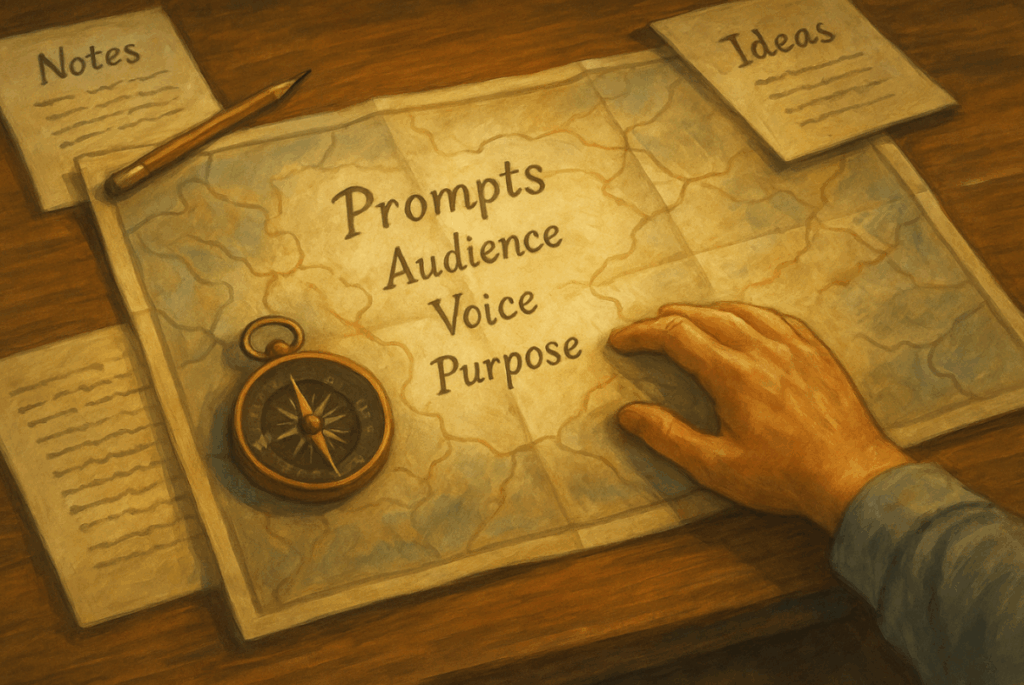
It’s like giving AI the map, not just the destination.
What Makes a Prompt Library Actually Work
A prompt library isn’t just a list of clever phrases. For it to actually help, each entry needs context—who it’s for, how long it should be, what tone to use, and the little nuances that make your organization sound like you.
The best ones are:
- Context-rich (audience, tone, purpose, length, brand notes)
- Organized by use case (donors, events, volunteers, programs)
- Grounded in examples (before-and-after drafts that help staff refine)
- Regularly updated (because your messaging evolves)
The goal is simple: Whether it’s your communications director or a volunteer filling in, anyone should be able to use the prompt library and get a draft that feels on-brand right away.
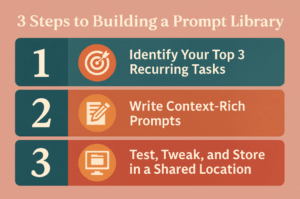
How to Build Your Prompt Library in 3 Steps
Just imagine your team sitting down to write a donor thank-you. Instead of starting from scratch, they open a shared prompt library, grab the tested prompt, and generate a solid first draft in minutes. No more digging through old files or rewriting the same message over and over—just a quick edit, a personal touch, and it’s ready to send.
That’s the power of a prompt library. Here’s how to build one of your own:
Step 1: Identify Your Top 3 Recurring Tasks
Think about what you write most often: thank-you emails, event updates, program blurbs. Those are your best starting points.
Step 2: Write Context-Rich Prompts
Be specific. Tell AI what to write, who it’s for, and how it should sound.
For example:
“Write a warm, donor-centered thank-you email for supporters of our annual gala. Keep it under 150 words, reference the event’s success in funding our youth mentorship program, and invite them to register for next year’s event. Use an appreciative, conversational tone aligned with our nonprofit brand voice.”
Step 3: Test, Tweak, and Store in a Shared Location
Run the prompt, edit the draft, and then save both in a place the whole team can access—whether that’s a shared folder, a spreadsheet, or a wiki.
Advanced Tip: Make It Searchable
Want to take it further? Organize prompts into categories and make them searchable. A simple spreadsheet with filters can do the trick—or, if you want to get fancy, a tool like ConnectionWorks can store, tag, and make them instantly reusable.
That’s when your library becomes a real asset—not just a document sitting on your desktop.
Starter Prompt Library for Nonprofits
Here are three simple prompts you can start using right away:
Donor Thank-You Email
“Write a warm, donor-centered thank-you email for supporters who contributed to our summer food drive. Keep it under 150 words, reference the impact of their gift (providing 500 community meals), and invite them to follow our progress on social media. Use an appreciative, conversational tone aligned with our nonprofit brand voice.”
✅ Why it works: Gratitude that feels real, not generic.
Event Promotion Blurb
“Update this event announcement for our annual fall gala using the following details: [paste prior description + new info]. Include the updated date, location, and ticket details. Write in a formal yet inviting tone for a donor audience, keeping it under 120 words.”
✅ Why it works: Keeps event communications polished and consistent across every channel.
Program Impact Story (Short Version)
“Write a short program impact story (under 100 words) about a student who improved academically through our tutoring program. Focus on positive change, use an uplifting and human-centered tone, and close with an invitation to get involved as a donor or volunteer.”
✅ Why it works: Gives you a concise, emotionally compelling story you can drop into newsletters or social.
Pro Tip: Don’t just copy these—adapt them with your own program names, donor types, and voice notes. And remember to save not just the prompt, but the final draft too, so you can reuse and refine over time.
The Real Win: More Time for What Matters
A prompt library might not sound revolutionary. But in practice, it’s one of the simplest, most effective ways to bring AI into your nonprofit’s daily work. It keeps your messaging consistent, reduces blank-page moments, and saves you hours—without losing the human touch that makes your mission matter.
👉 Ready to see how a prompt library could work for your team? ConnectionWorks was built to make this simple—storing, organizing, and sharing prompts so your whole staff can stay consistent without extra effort.
Book a quick demo and see how it can save hours each week while keeping your message human and on-mission.